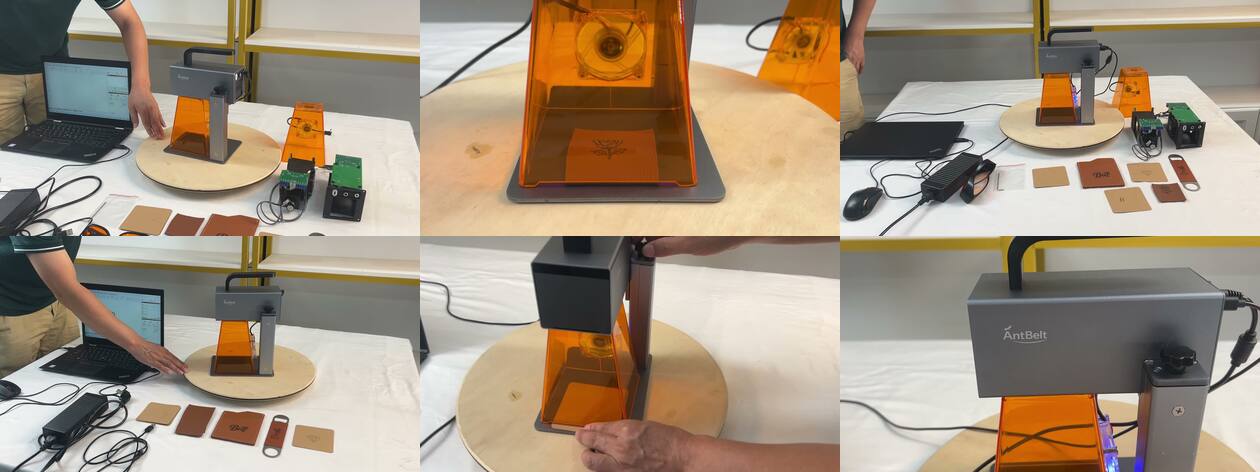
A short video can compress a workflow so effectively that important decisions disappear between cuts. A before-during-after log helps viewers record what is visible, what is implied, and what still needs confirmation.
Before: identify the starting condition
Pause on the first clear frame. Note the object, visible surface condition, artwork state, positioning method, and safety controls that can actually be seen. If preparation happened off camera, mark it as not shown.
During: watch decisions, not only motion
Record when the operator adjusts placement, reviews a preview, changes the object, or pauses the process. Editing may shorten time or omit repetitions, so the clip should not be used to invent throughput claims.
After: inspect the evidence frame
Look for an unbroken view connecting the object used in the workflow to the result shown afterward. Note lighting, camera angle, and whether the surface is cleaned before the close-up. Describe the visible result without assuming durability or performance beyond the clip.
Separate observations from questions
Use two columns. The observation column might say “the operator checks orientation.” The question column might ask what guidance accompanies that step. This prevents a viewer from filling missing information with an optimistic or negative assumption.
Revisit the official source
A recap is a navigation aid, not a replacement for the current video, campaign page, or documentation. Check dates and watch the original context before making a purchase or backing decision.
Recent AntBelt G1 video material can show prototype workflow moments, but final configuration and campaign details should be confirmed in current official sources. Explore /updates/ for more methods of reading product evidence carefully.
Review current AntBelt G1 project details and updates on Kickstarter: